
VIDEO SUPPORT LIBRARY
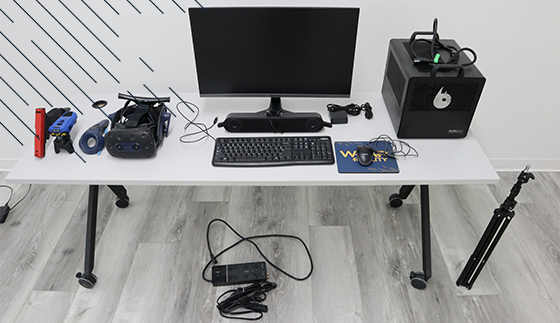
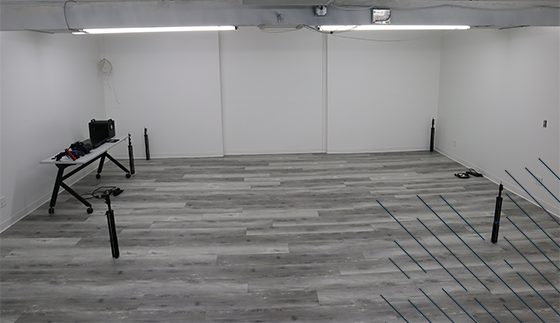
Setting Up Your System
To help in setting up your new WRAP Reality training system, we’ve created a step-by-step video guide that walks you through the entire setup process. Check out the video below.
Video Support Library
Accessing The SteamVR Window
The Wrap Reality Application is Freezing
Trainer Headset Microphone Not Working
Headset Video Works, but Audio Does Not Work
Desktop Speakers Audio Does Not Work
BolaWrap or Force Option/Equipment Does Not Fire/Activate
Headset Display is not Visible
BolaWrap or Force Option/Equipment not Visible in the Virtual Space
BolaWrap and Force option/Equipment Pairing (Vive Trackers)
Base Station Tracking Troubleshooting
Resetting the Vive Wireless Card
Desktop Microphone does not Work
Firmware Update
Force Option Not Firing
Force Option Not Visible
Headset Microphone Not Working
No Desktop Audio
No Headset Audio
No Headset Display
Pairing Vive Trackers
Reseating Vive Wireless Card
Accessing The Steam VR Window
Application Freezing
Base Station Tracking Issues
Ask about our Wrap Reality Total Care Bundle which offers a comprehensive solution for users who want to ensure they have ongoing support, access to new content, and extended hardware protection for their investment extended beyond the first year.
This bundle includes the following features:
Access to New Scenarios: The bundle also guarantees access to new scenario releases for a duration of one year. This ensures that users will receive
Software Support: Dedicated software support to assist users with any technical issues or questions they may encounter while using the software. This support ensures that users can make the most of the software's features and functionality.
Extended Hardware Warranty: Extends the standard hardware warranty. This means that any hardware components included in the Wrap Reality System will be covered for repair or replacements in case of malfunction or damage.
If you cannot find the information you’re looking for or need further clarification, please fill out a support ticket using the form below. Our team will review your request and respond promptly to help resolve your issue. We’re here to ensure you get the support you need.
